If you work long hours on Microsoft Excel, your monitor plays a much bigger role than you may realize.
Excel work involves wide spreadsheets, multiple columns, long rows, formulas, charts, and frequent switching between sheets and applications. A small or low-quality monitor can cause eye strain, poor posture, and constant scrolling — all of which reduce productivity.
This guide is written specifically for:
- Accountants, analysts, and office professionals
- Excel users working 6–10 hours daily
- Anyone using spreadsheets for data analysis, reporting, or finance
If your current monitor feels cramped or tiring after a few hours, this guide will help you choose a best monitor for Excel and office work.
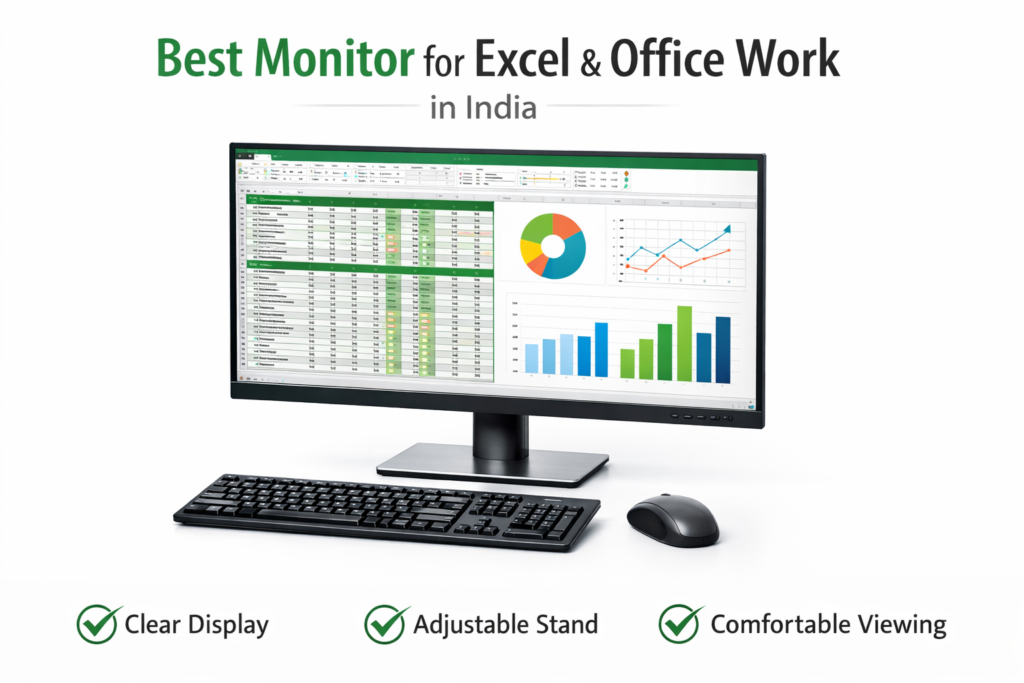
Why Monitor Choice Matters for Excel Users
Excel users view more data at once than most computer users.
Using a poor monitor setup often leads to:
- Excessive horizontal scrolling
- Eye strain and headaches
- Neck and shoulder pain due to bad posture
- Lower focus during long work sessions
A good monitor for Excel offers:
- More visible rows and columns
- Clearer text and sharper visuals
- Better posture with adjustable stands
- Reduced eye fatigue
Upgrading your monitor is one of the most impactful productivity improvements an Excel user can make.
What to Look for in a Best Monitor for Excel Users for Office Work
Screen Size (Most Important)
- 24-inch → Ideal minimum for Excel
- 27-inch → Best balance of space and clarity
- Larger screens reduce scrolling significantly
Resolution
- Full HD (1080p) → Acceptable for 24-inch
- QHD (1440p) → Excellent for 27-inch Excel work
Higher resolution = sharper text = less eye strain.
Panel Type (IPS Preferred)
- IPS panels offer better color accuracy and viewing angles
- Easier on the eyes for long working hours
Aspect Ratio
- 16:9 → Standard and widely supported
- Ultrawide (21:9) → Great for side-by-side Excel sheets
Adjustability
Look for:
- Height adjustment
- Tilt support
This improves posture and comfort.
📊 Quick Comparison – Best Monitors for Excel & Office Work in India (2026)
| Monitor | Screen Size | Resolution | Panel Type | Best For |
|---|---|---|---|---|
| Dell P2422H | 24-inch | Full HD | IPS | Daily Excel professionals |
| LG 27MP400 | 27-inch | Full HD | IPS | Large spreadsheets |
| Samsung LS24R356 | 24-inch | Full HD | IPS | Budget office use |
| Acer Nitro VG240Y | 24-inch | Full HD | IPS | Value + clarity |
| LG 29WL500 | 29-inch | Ultrawide | IPS | Multi-sheet Excel work |
Individual Monitor Reviews
🔹 Dell P2422H
Best Overall Monitor for Excel Users
Why it works well for Excel
Designed for professional office environments, the Dell P2422H delivers sharp text, excellent ergonomics, and long-hour comfort.
Key benefits for Excel users
- Comfortable 24-inch screen size
- IPS panel for clear text
- Height and tilt adjustment
Pros
- Excellent build quality
- Comfortable for all-day use
- Thin bezels (good for dual monitors)
Cons
- Slightly expensive
- Full HD only
What users say (summary)
- Many users mention reduced eye strain
- Praised for long-hour office comfort
- Reliable for professional use
Best for
- Accountants
- Office professionals
- Daily Excel users
Who should avoid
- Users wanting ultra-large screens
🔹 LG 27MP400
Best Large Monitor for Excel Spreadsheets
Why it works well for Excel
The larger 27-inch screen shows more rows and columns at once, reducing scrolling.
Key benefits for Excel users
- Large screen real estate
- IPS panel for clear visuals
- Comfortable for multitasking
Pros
- Big display
- Good clarity for Excel
- Easy on the eyes
Cons
- Stand adjustability is limited
- Full HD resolution on 27-inch
What users say (summary)
- Users love the larger screen for spreadsheets
- Mention improved productivity
- Some suggest using scaling for best clarity
Best for
- Analysts
- Users working with large Excel files
Who should avoid
- Users needing height adjustment
🔹 Samsung LS24R356
Best Budget Monitor for Office Work
Why it works well for Excel
A solid IPS monitor for users who want dependable performance at a lower cost.
Key benefits for Excel users
- Clear Full HD display
- IPS viewing angles
- Slim design
Pros
- Affordable
- Good display quality
- Trusted brand
Cons
- Basic stand
- Limited adjustability
What users say (summary)
- Frequently praised for value
- Good for office and Excel work
- Reliable daily performance
Best for
- Budget-conscious professionals
- Home offices
Who should avoid
- Users needing ergonomic adjustments
🔹 Acer Nitro VG240Y
Best Value Monitor for Excel Users
Why it works well for Excel
Balances price, clarity, and comfort, making it a popular choice for office setups.
Key benefits for Excel users
- Sharp IPS panel
- Good brightness levels
- Comfortable text display
Pros
- Good value for money
- Eye-friendly display
- Slim bezels
Cons
- Stand adjustment limited
- Gaming branding may not appeal to all
What users say (summary)
- Users appreciate clarity and brightness
- Often recommended for mixed office use
Best for
- Office professionals
- Budget + quality seekers
Who should avoid
- Users wanting premium stands
🔹 LG 29WL500 Ultrawide Monitor
Best Ultrawide Monitor for Excel Power Users
Why it works well for Excel
Ultrawide screens allow viewing two Excel sheets side by side without switching windows.
Key benefits for Excel users
- Wide 21:9 aspect ratio
- Excellent multitasking
- IPS panel for clarity
Pros
- Great for multi-sheet work
- Less window switching
- Immersive workspace
Cons
- Takes more desk space
- Higher price
What users say (summary)
- Users love the extra horizontal space
- Boosts productivity for advanced Excel work
Best for
- Power Excel users
- Analysts handling complex data
Who should avoid
- Small desk setups
🛒 Buying Guide – How to Choose the Right Monitor for Excel
24-inch vs 27-inch
- 24-inch → Balanced and affordable
- 27-inch → Better visibility, less scrolling
Full HD vs QHD
- Full HD → Fine for 24-inch
- QHD → Sharper text on 27-inch
Ultrawide vs Standard
- Ultrawide → Excellent for multitasking
- Standard → Easier setup, lower cost
Ergonomics
Height adjustment significantly improves posture and comfort.
A good monitor alone cannot guarantee comfort. Proper screen placement, chair support, and keyboard alignment are equally important for long working hours. Explore our detailed desk setup guide to optimise your workstation effectively.
🔗 Important
For faster navigation and precise selection in spreadsheets, pairing a good monitor with the right mouse and comfortable keyboard makes a noticeable difference.
👉 Best Mouse for Excel Users in India
👉 Best Keyboard for Excel Users in India
❓ FAQs
Is a bigger monitor better for Excel?
Yes. Larger screens reduce scrolling and improve productivity.
Is Full HD enough for Excel?
Yes for 24-inch monitors. For 27-inch, higher resolution is better.
Are ultrawide monitors good for office work?
Yes, especially for multitasking and side-by-side Excel sheets.
🏁 Conclusion – Final Recommendations
Best Overall Monitor for Excel:
👉 Dell P2422H
Best Budget Monitor:
👉 Samsung LS24R356
Best for Heavy Excel Users:
👉 LG 29WL500 Ultrawide
A good monitor can dramatically improve your comfort, focus, and efficiency when working on Excel.
Disclosure
Reviewend.com may include affiliate links to recommended products in the future. As an Amazon Associate, we may earn from qualifying purchases at no extra cost to you.
Pingback: Best Ergonomic Chair for Office Professionals in India
Pingback: Best Laptop Accessories for Office Professionals in India (2026 Guide)
Pingback: Best Laptop Stand for Office Work
Pingback: Best Desk Setup for Productivity & Comfort (Office & Work-From-Home Guide)