Best Desk Setup for Productivity & Comfort
A well-designed desk setup is no longer a luxury — it is a necessity for anyone spending long hours working on a computer.
Whether you are an office professional, a work-from-home user, or someone who spends most of the day inside spreadsheets and productivity tools, your workspace directly affects your comfort, focus, and efficiency.
Poor desk ergonomics often lead to eye strain, wrist discomfort, back pain, and fatigue — problems that silently reduce productivity over time.
On the other hand, a properly arranged desk with the right monitor positioning, input devices, seating support, and accessories can significantly improve both performance and long-term comfort.
In this guide, we’ll break down:
✔ Essential elements of an efficient desk setup
✔ Common mistakes to avoid
✔ Practical improvements for daily comfort
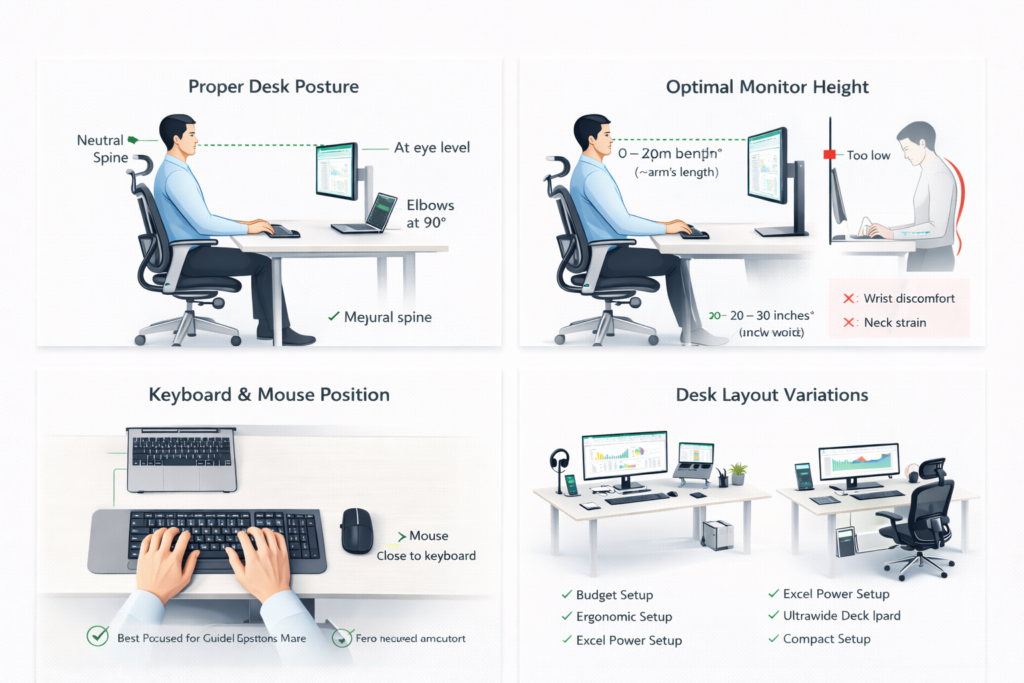
Core Elements of an Efficient Desk Setup
✅ Monitor Position & Screen Placement
Your screen position is one of the most critical ergonomic factors in any desk setup.
A poorly placed monitor silently forces your body into unhealthy postures, often leading to neck stiffness, shoulder tension, and visual fatigue.
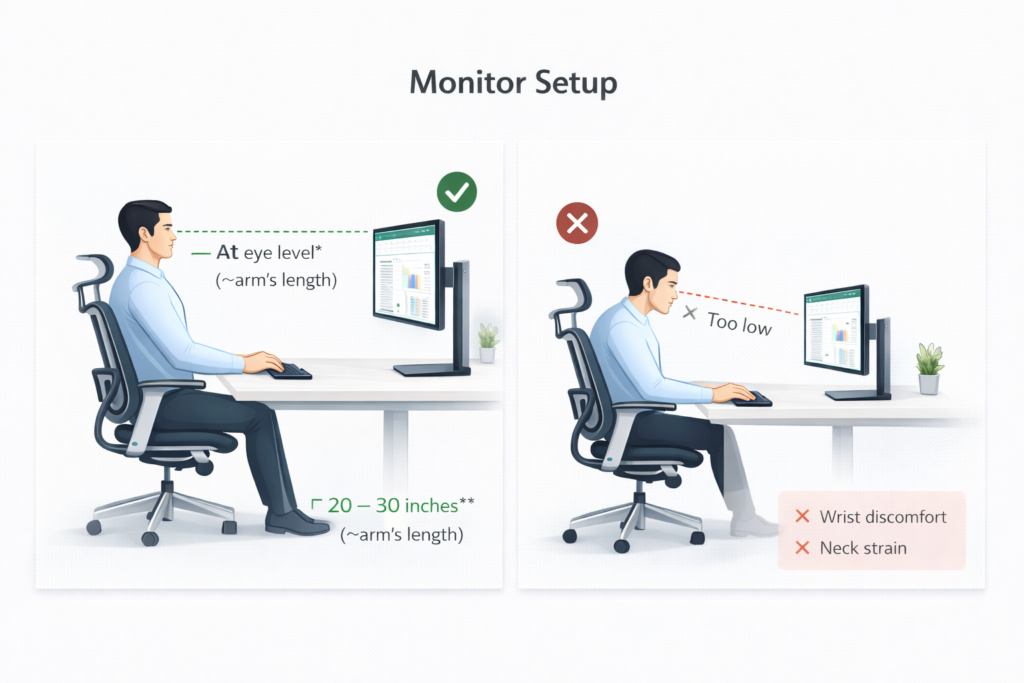
Eye-Level Alignment
Ideally, the top portion of your screen should sit near eye level.
This allows:
✔ Neutral head posture
✔ Reduced neck bending
✔ Better viewing comfort
When screens are positioned too low, users instinctively tilt their neck downward — a major cause of long-term discomfort.
Viewing Distance Matters
Your monitor should typically sit at roughly arm’s length distance.
This helps:
✔ Reduce eye strain
✔ Prevent excessive leaning
✔ Maintain natural posture
Screens placed too close increase visual fatigue, while distant screens force forward neck posture.
Screen Size & Productivity Benefits
Larger displays significantly improve workflow efficiency.
Benefits include:
✔ More visible data
✔ Reduced scrolling
✔ Better multitasking
✔ Improved text readability
Especially for Excel users, wider screens reduce navigation friction and enhance accuracy.
Neck Strain Prevention
Correct monitor positioning:
✔ Supports upright posture
✔ Reduces neck pressure
✔ Improves long-hour comfort
Even small height adjustments often produce noticeable relief.
Choosing the right display also plays a major role. You can read our detailed guide on the best monitor for Excel & office work.
✅ Keyboard & Mouse Placement
While many users invest in devices, few pay attention to how those devices are positioned — which directly impacts comfort and efficiency.
Proper Wrist Alignment
Your wrists should remain in a neutral, relaxed position while typing or using a mouse.
Avoid:
❌ Upward wrist bending
❌ Downward wrist collapse
❌ Excessive tension
Neutral wrist posture reduces strain and fatigue.
Desk Height & Arm Position
Ideal positioning allows:
✔ Elbows near a 90° angle
✔ Relaxed shoulders
✔ Minimal wrist pressure
Incorrect desk height often leads to shoulder tension and wrist discomfort.
Shortcut Efficiency & Workflow Speed
Proper keyboard placement improves:
✔ Shortcut execution
✔ Typing rhythm
✔ Hand movement efficiency
Especially critical for Excel-heavy workflows.
Fatigue Reduction
Good alignment reduces:
✔ Wrist strain
✔ Finger fatigue
✔ Shoulder tension
Small adjustments frequently produce immediate comfort improvements.
For a complete workstation, pairing the right accessories also plays a crucial role. we layed a path to find the right accessores in our article How to select the right accessories for your desk setup.
✅ Ergonomic Chair & Seating Support
Your chair is the foundation of your entire workstation.
Even the best devices cannot compensate for poor seating support.
Neutral Spine Posture
A good chair promotes:
✔ Upright sitting position
✔ Natural spinal alignment
✔ Reduced back pressure
Poor chairs often encourage slouching — a major cause of discomfort.
Lumbar Support (Essential Feature)
Proper lumbar support:
✔ Stabilizes the lower back
✔ Prevents spinal stress
✔ Improves long-hour comfort
This is one of the most commonly overlooked factors.
Comfort During Long Sitting Hours
For professionals working extended hours, seating comfort directly influences:
✔ Work endurance
✔ Focus levels
✔ Physical fatigue
An ergonomic chair is a health investment, not a luxury item. how to select a best chair for office and work from home purposes? our article on best chair will help you to select a best one.
✅ Laptop Stand & Posture Alignment 👀🔥
One of the highest-impact upgrades for laptop users.
Screen Elevation & Eye Alignment
Laptop stands raise your screen to a more natural viewing height.
This supports:
✔ Neutral neck posture
✔ Upright sitting position
✔ Reduced strain
For long working hours, investing in screen elevation makes a significant difference. You can read our complete guide on the best laptop stand for office work.
Neck Relief & Posture Improvement
Without elevation:
❌ Neck bends downward
❌ Shoulder tension increases
With a stand:
✔ Neck pressure reduces
✔ Viewing comfort improves
Heat Management & Airflow Benefits
Elevating laptops improves:
✔ Ventilation
✔ Cooling efficiency
✔ Performance stability
A practical bonus benefit.
External Keyboard Advantage
Laptop stands work best when paired with:
✔ External keyboard
✔ Mouse
This combination creates a fully ergonomic workstation. Whch mouse s best? and how to select a best keyboard? our artcles on best mouse for long working hours and Key board for office professionals will help.
🧾 Desk Setup for Excel & Spreadsheet Professionals
For professionals who spend significant time working with spreadsheets, financial models, reports, and data-heavy applications, desk setup requirements become even more specific.
Unlike casual computer use, spreadsheet work demands sustained focus, extensive scrolling, frequent data entry, and constant visual tracking across rows and columns.
A larger monitor or higher-resolution display can dramatically improve visibility, allowing users to view more data without excessive zooming or constant horizontal scrolling. This reduces eye strain and improves workflow efficiency.
Keyboard selection also plays a crucial role. A full-size keyboard with a numeric keypad significantly enhances speed and comfort during heavy data entry, accounting tasks, and financial analysis.
Similarly, mouse precision becomes critical for selecting cells, navigating large sheets, and handling detailed spreadsheet operations. A comfortable and responsive mouse reduces wrist fatigue during prolonged sessions.
For optimal results, spreadsheet professionals should prioritise:
- Reduced screen glare and eye strain
- Larger or higher-resolution monitors
- Full-size keyboards with numeric keypads
- Comfortable, precision-focused mice
- Proper wrist and arm alignment
Common Desk Setup Mistakes That Reduce Comfort & Productivity
Even expensive equipment cannot compensate for poor desk arrangement. Many productivity and comfort issues arise from simple setup mistakes.
Some of the most common problems include:
- Monitor positioned too low or too close
- Keyboard placed at incorrect height
- Lack of wrist support
- Using laptops without elevation
- Poor seating posture
- Cluttered or cramped desk space
These mistakes often lead to neck strain, wrist discomfort, back pain, and faster fatigue — all of which negatively impact long working sessions.
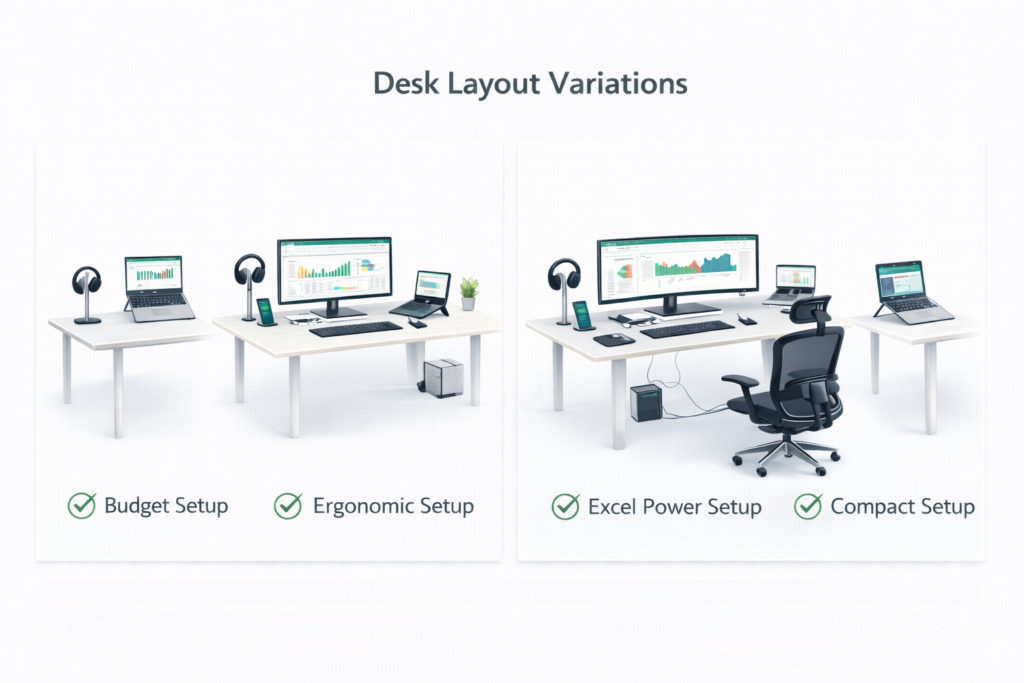
Desk Setup Habits That Improve Productivity & Comfort
Even a well-designed desk setup can become uncomfortable if basic ergonomic practices are ignored.
Maintain a Neutral Sitting Posture
Aim to:
✔ Sit upright with back support
✔ Keep shoulders relaxed
✔ Avoid forward head leaning
✔ Keep feet comfortably grounded
Avoid Prolonged Static Positions
Helpful adjustments include:
✔ Slight posture shifts
✔ Gentle stretching
✔ Short standing breaks
Keep Frequently Used Devices Within Reach
Ensure:
✔ Mouse is close to keyboard
✔ Keyboard is comfortably positioned
✔ Monitor requires minimal leaning
Manage Screen Time & Visual Comfort
Helpful practices:
✔ Blink regularly
✔ Adjust brightness for comfort
✔ Avoid harsh glare
Maintain a Clean & Organised Workspace
A visually clean desk promotes:
✔ Better focus
✔ Faster workflow
✔ Reduced visual stress
Listen to Early Discomfort Signals
Common warning signs:
• Neck stiffness
• Wrist tension
• Shoulder tightness
Frequently Asked Questions (FAQ)
What is the ideal desk setup for long working hours?
An ideal desk setup should prioritise comfort, posture support, and visual ergonomics. Proper monitor height, comfortable seating, correct keyboard and mouse placement, and reduced glare are key factors that minimise fatigue during extended work sessions.
Is an ergonomic chair really necessary?
For professionals who spend several hours sitting daily, an ergonomic chair is highly beneficial. Proper lumbar support and seating posture significantly reduce back strain, discomfort, and long-term posture-related issues.
Does monitor size affect productivity?
Yes. Larger screens or higher-resolution monitors allow users to view more information simultaneously, reducing excessive scrolling and improving workflow efficiency, particularly for data-heavy tasks.
Do I need a laptop stand for office work?
A laptop stand helps elevate the screen to eye level, reducing neck strain and improving posture. It is especially useful when combined with an external keyboard and mouse.
Which desk setup is best for Excel and spreadsheet work?
Spreadsheet-intensive work benefits from larger displays, full-size keyboards with numeric keypads, precision-focused mice, and proper screen positioning. These adjustments improve both speed and comfort.
How can I reduce fatigue while working at a desk?
Fatigue can be reduced by maintaining correct posture, optimising monitor height, using comfortable input devices, minimising glare, and taking short breaks to relax the eyes and muscles.
Desk Setup Checklist for Buyers
✔ Monitor positioned at eye level
✔ Keyboard height comfortable
✔ Mouse movement unrestricted
✔ Ergonomic seating
✔ Laptop elevated
✔ Minimal glare
✔ Clutter-free desk
Conclusion
A thoughtfully arranged desk setup is one of the most effective investments for improving daily comfort, reducing physical strain, and enhancing overall productivity.
Small adjustments — such as better monitor positioning, ergonomic seating, proper device placement, and supportive accessories — can create noticeable improvements in focus, efficiency, and long-term well-being.
Whether you work from an office or home environment, optimising your workspace helps transform long working hours from a source of fatigue into a more comfortable and sustainable experience.
Pingback: Best Mouse for Excel Users in India (2026 Buyer’s Guide)
Pingback: Best Monitor for Excel Users
Pingback: Best Keyboard for Excel Users in India (2026 Buyer’s Guide)
Pingback: Best Laptop Accessories for Office Professionals in India (2026 Guide)
Pingback: Best Laptop Stand for Office Work