If you work extensively on Microsoft Excel, you already know one thing clearly:
The wrong keyboard can slow you down, increase errors, and make long working hours uncomfortable.
Excel work involves constant numeric entry, shortcut combinations, formulas, navigation across sheets, and long typing sessions. A keyboard that’s fine for casual typing may not be ideal for Excel-heavy work.
This guide is written specifically for:
- Accountants, analysts, and office professionals
- Students who use Excel regularly
- Anyone who spends hours every day working on spreadsheets
If your current keyboard works but doesn’t feel efficient or comfortable, this guide will help you choose a better one.
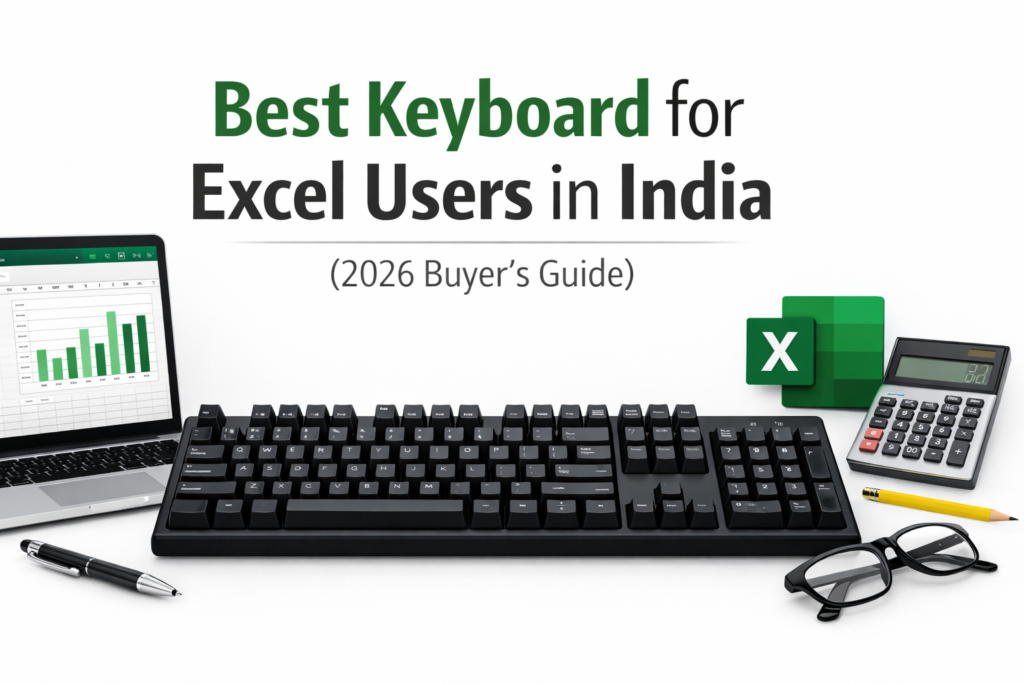
Why Keyboard Choice Matters for Excel Users
Excel users interact with their keyboard more intensively than most users.
Using a regular or poorly designed keyboard for Excel often leads to:
- Slower numeric data entry
- Finger and wrist fatigue
- Inefficient shortcut usage
- Reduced productivity over long hours
A keyboard designed for Excel and office work offers:
- Faster and more accurate numeric input
- Comfortable key travel for long sessions
- Better shortcut execution
- Less strain on fingers and wrists
Choosing the right keyboard is one of the simplest productivity upgrades an Excel user can make.
Best Keyboard for Excel Users – What to Look For
Full-Size Layout with Numeric Keypad
For Excel, a numeric keypad is extremely useful — especially for accountants, analysts, and data entry work.
Comfortable Key Travel
Keys should not be too shallow or too stiff. Balanced key travel helps reduce finger fatigue during long hours.
Shortcut-Friendly Layout
Well-spaced Ctrl, Alt, Shift, and Enter keys make Excel shortcuts easier and faster.
Quiet Typing (for Offices)
Quiet membrane keyboards are often better suited for shared office environments.
Wired or Wireless Stability
Both are fine for Excel — choose based on desk setup and personal preference.
📊 Quick Comparison – Best Keyboards for Excel Users in India (2026)
| Keyboard | Best For | Key Type | Numpad |
|---|---|---|---|
| Dell KB216 | Daily Excel professionals | Membrane | Yes |
| Logitech MK200 | Budget Excel users | Membrane | Yes |
| Logitech MK270 | Wireless office work | Membrane | Yes |
| Logitech K120 | Data entry & accounting | Membrane | Yes |
| Redragon K552 | Shortcut-heavy Excel use | Mechanical | No |
| Cosmic Byte CB-GK-18 | Budget mechanical users | Mechanical | No |
Individual Keyboard Reviews
🔹 Dell KB216 Wired Keyboard
Best Overall Keyboard for Excel Users
Why it works well for Excel
Designed for professional office environments, the Dell KB216 focuses on comfort, quiet typing, and long-hour usability — exactly what Excel users need.
Key benefits for Excel users
- Full-size layout with numeric keypad
- Quiet, soft keystrokes
- Comfortable for extended work sessions
Pros
- Excellent long-hour comfort
- Office-friendly typing noise
- Durable and reliable
Cons
- Wired only
- Plain design
What users say (summary)
- Many users mention reduced finger fatigue
- Frequently praised for comfort during long workdays
- Office professionals rate it highly for Excel tasks
Best for
- Accountants
- Office professionals
- Daily Excel users
Who should avoid
- Users wanting wireless keyboards
🔹 Logitech MK200 Keyboard
Best Budget Keyboard for Excel Users
Why it works well for Excel
The Logitech MK200 is a simple, full-size keyboard that covers all Excel essentials at a very affordable price.
Key benefits for Excel users
- Dedicated numeric keypad
- Comfortable key spacing
- Familiar layout with no learning curve
Pros
- Very affordable
- Comfortable for data entry
- Reliable for daily use
Cons
- Wired only
- Basic build
What users say (summary)
- Commonly praised for Excel and accounting work
- Users highlight good value for money
- Reliable for office environments
Best for
- Students
- Budget Excel users
- Data entry work
Who should avoid
- Users wanting premium features
🔹 Logitech MK270 Wireless Keyboard
Best Wireless Keyboard for Office Excel Work
Why it works well for Excel
The MK270 offers wireless convenience while retaining a full-size, Excel-friendly layout.
Key benefits for Excel users
- Full-size keyboard with numpad
- Stable wireless performance
- Comfortable shortcut usage
Pros
- Clean, wireless desk setup
- Long battery life
- Reliable for office use
Cons
- Basic plastic feel
- Keys feel slightly stiff initially
What users say (summary)
- Users appreciate the stable wireless connection
- Battery life is frequently praised
- Works well for Excel and office tasks
Best for
- Office professionals
- Work-from-home users
Who should avoid
- Mechanical keyboard enthusiasts
🔹 Logitech K120 Keyboard
Best for Data Entry and Accounting Work
Why it works well for Excel
The Logitech K120 is widely used in offices due to its quiet typing and comfort during long hours of numeric input.
Key benefits for Excel users
- Quiet keystrokes
- Comfortable numeric keypad
- Standard shortcut layout
Pros
- Durable and reliable
- Comfortable for long sessions
- Office-friendly
Cons
- Wired only
- Very basic design
What users say (summary)
- Frequently praised for durability
- Accountants mention comfortable data entry
- Quiet typing is a common highlight
Best for
- Accountants
- Data entry operators
Who should avoid
- Users wanting wireless keyboards
🔹 Redragon K552 Mechanical Keyboard
Best Mechanical Keyboard for Heavy Excel Users
Why it works well for Excel
Mechanical keys provide faster response and better feedback for shortcut-heavy Excel workflows.
Key benefits for Excel users
- Excellent for shortcut execution
- Precise keystrokes
- Strong build quality
Pros
- Mechanical switches
- Faster key response
- Durable construction
Cons
- No numeric keypad
- Noisy in shared offices
What users say (summary)
- Users love the tactile mechanical feel
- Typing speed improvements mentioned often
- Build quality praised
Best for
- Power Excel users
- Shortcut-heavy workflows
Who should avoid
- Data entry professionals
- Quiet office environments
🔹 Cosmic Byte CB-GK-18 Mechanical Keyboard
Best Budget Mechanical Keyboard
Why it works well for Excel
A good entry point for users curious about mechanical keyboards without spending too much.
Key benefits for Excel users
- Mechanical feedback
- Good key travel
- Suitable for shortcuts
Pros
- Affordable mechanical option
- Comfortable typing feel
- Decent build quality
Cons
- No numeric keypad
- Adjustment period required
What users say (summary)
- Mechanical feel praised for the price
- Typing experience rated positively
- Some mention a learning curve
Best for
- Users upgrading from membrane keyboards
Who should avoid
- Heavy numeric data entry users
🛒 Buying Guide – How to Choose the Right Keyboard for Excel
Full-Size vs TKL
Full-size keyboards are better for Excel due to the numeric keypad.
Mechanical vs Membrane
Membrane keyboards are quieter and more comfortable for long hours. Mechanical keyboards suit shortcut-heavy users.
Key Travel
Balanced key travel reduces finger fatigue during extended Excel work.
Wired vs Wireless
Both are reliable for Excel. Choose based on desk setup and convenience.
For a complete Excel workstation, pairing the right keyboard with a comfortable mouse improves navigation and accuracy.
👉 Best Mouse for Excel Users in India
❓ FAQs
Do Excel users need mechanical keyboards?
No. Most Excel users prefer membrane keyboards for comfort and quiet typing.
Is a numeric keypad necessary for Excel?
Yes, especially for accounting, analysis, and data entry work.
Are wireless keyboards good for office work?
Yes. Modern wireless keyboards are stable and lag-free for Excel.
🏁 Conclusion – Final Recommendations
Best Overall Keyboard for Excel:
👉 Dell KB216
Best Budget Keyboard:
👉 Logitech MK200
Best for Heavy Excel Users:
👉 Redragon K552
Choosing the right keyboard can significantly improve your speed, comfort, and productivity when working on Excel.
Especially for Excel users, pairing the right keyboard with a properly arranged workstation significantly improves workflow speed and comfort. Learn how to optimise your workspace in our desk setup guide.
Disclosure
Reviewend.com may include affiliate links to recommended products in the future. As an Amazon Associate, we may earn from qualifying purchases at no extra cost to you.
Pingback: Best Ergonomic Chair for Office Professionals in India
Pingback: Best Laptop Accessories for Office Professionals in India (2026 Guide)
Pingback: Best Monitor for Excel Users